Blog
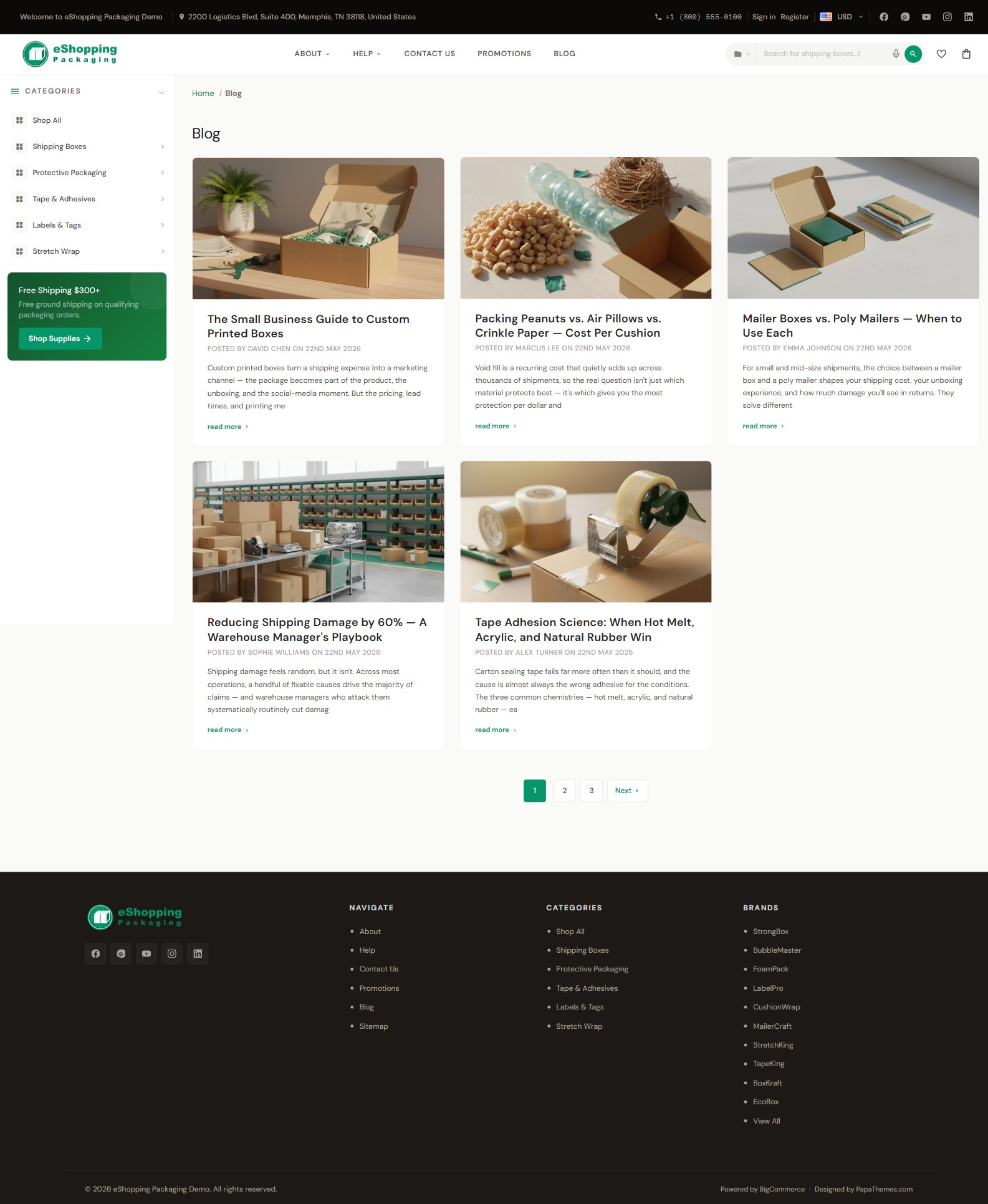
eShopping renders BigCommerce's built-in blog system. There are two pages:
- Blog index —
/blog— a responsive card grid of recent posts that fits as many columns as the available width allows (multiple columns on a wide desktop, a single column on narrow screens) - Blog post —
/blog/<slug>— single article, ending with a More from the Blog related-posts grid
Create posts
Storefront → Blog → Create post. Each post supports:
- Title
- Body (rich-text editor)
- Featured image (recommended 900 × 600 px) — used as the card image + the hero image on the article page. Theme Editor → Global → Blog → Size of images controls the dimensions BigCommerce uses when resizing and serving these images. The default is Optimized for theme (190 × 250 px); choose Specify dimensions if you want the full 900 × 600 px served (note: larger images add to page weight)
- Tags — shown as clickable pills on each article page (not on the blog index grid); clicking a tag opens that tag's post listing (BigCommerce's
/blog/tag/<name>page) - Author, Publish date — shown in the byline. The author only appears when one is set on the post; the publish date always shows
Home-page blog section
The home page shows the 3 most recent posts between the Brands carousel and the Newsletter. This count is fixed in the theme and is not adjustable from the Theme Editor.
The section appears automatically once your store has published posts, and hides itself when there are none — so there's nothing to switch on. Just publish posts under Storefront → Blog and they'll surface here.
Blog colors
The blog inherits the regular theme palette. The post-body uses the standard typography settings (Colors & fonts).
Hiding the blog header heading
Theme Editor → Global → Pages → Hide blog page heading ✅ — useful if you'd rather lead with the post grid.
Blog widget regions
The blog index has no widget regions. The single-post page also has no widget regions in its body, but the header / sidebar / footer widget regions are still active.
Each blog post page ends with a More from the Blog related-posts grid — a card grid of your other recent posts (the post you're reading is excluded). It's populated automatically from the store's recent posts, so there's nothing to configure.
If you want a CTA at the end of every post (e.g. "Sign up for our newsletter"), insert it as the last paragraph of every post — or use a Script Manager snippet that appends a CTA via JavaScript.
Content ideas
These are suggestions, not part of the demo setup
All four demo stores show the same blog section (the 3 most recent posts on the home page). There's no per-variant blog configuration. The themes below are just generic editorial ideas you can adapt to your own catalog — none of them ship as pre-written demo content.
- Industrial / safety supplies — buyer's guides and how-to tips (selecting the right equipment, compliance basics).
- Auto parts — maintenance walkthroughs and fitment/how-to guides.
- Electronics — product reviews, comparisons, and release news.
- Packaging — sustainability articles, size guides, and case studies.